Back to Courses15 Passes Left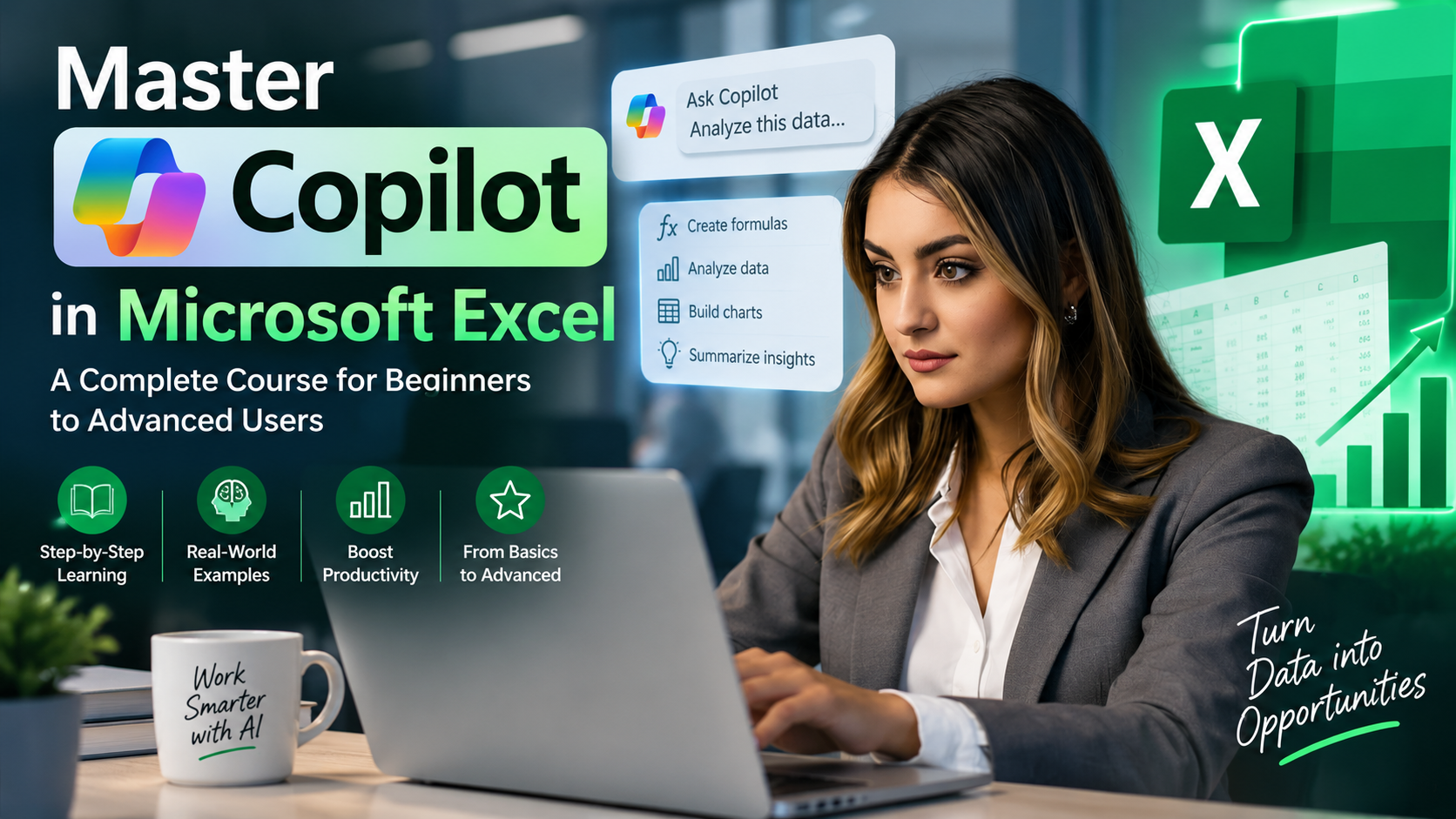 Smart CalculationsData FormattingBusiness AnalysisAutonomous WorkflowsError PreventionPresentation Ready90 mins90 mins90 mins90 mins90 mins90 mins90 mins120 mins
Chat with Coordinator
Batch 07 (Sold Out)Batch 08: Launching Tuesday, 13th Oct 2026 · 7:00 PM ISTNext Batch: 20 Oct
Microsoft Excel & AI ProductivityBeginner to Advanced
Master Copilot in Microsoft Excel — A Complete Course for Beginners to Advanced Users
This course teaches learners how to use Microsoft Copilot inside Excel to work faster and smarter — from writing formulas in plain English to cleaning data, building PivotTables, generating charts, and automating multi-step workflows with Agent Mode. Learners finish with the skills to apply AI-assisted analysis to real business problems while knowing how to verify and trust the results.
Round 5 · Batch #08 is running
FREE PASS₹1,200
Join from the next class — 15 seats left in Batch #08
15 of 15 free passes left
--DAYS
--HRS
--MIN
--SEC
This round closes when the next class starts · Tue, 10 Nov, 2026, 7:00 PM IST
Course at a Glance
- Format
- Online, trainer-led
- Length
- 8 modules · 6 weeks (self-paced) / 12–15 hours total
- Schedule
- Starts 13 Oct · 7:00 PM IST · 90 min
- Level
- Beginner to Advanced
- Fee
- Free pass — 15 of 15 left (regular fee ₹1,200)
- Trainer
- Celoris Team
- Certificate
- Yes, on completion
Who it's for: Beginners to advanced Excel users, Business professionals and analysts, Students building practical data skills, Anyone with Microsoft 365 Copilot access wanting to work faster in Excel
Copilot AI & Advanced Excel Features You'll Master
Zero tedious manual formula typing — turn hours of spreadsheet work into seconds with AI
Natural-Language Formulas
Ask in plain English — Copilot generates complex XLOOKUP, INDEX/MATCH, and nested IFS instantly
Automated Data Cleaning
Fix messy dates, split text, remove duplicates, and standardize inconsistent formatting in 1 click
Instant PivotTables & Trends
Generate multi-variable PivotTables, trend lines, and dynamic charts from raw data without manual drag-and-drop
Copilot Agent Mode
Command Copilot Agent to execute multi-sheet reconciliations, monthly reporting flows, and cross-workbook summaries
Formula Auditing & Logic Check
Spot-check AI outputs, inspect formula precedents, detect calculation errors, and verify data accuracy
Executive KPI Dashboards
Transform raw transaction logs into clean, dynamic executive dashboards and automated visual scorecards
What You'll Learn
Explain what Copilot in Excel is, how it works, and its licensing requirements
Structure spreadsheets (Excel Tables, clean headers) so Copilot performs reliably
Use natural-language prompts to generate formulas, clean data, and analyze datasets
Switch between Chat mode and Edit mode, and use Plan mode for complex tasks
Build PivotTables, charts, and summary reports using Copilot prompts
Use Agent Mode to plan and execute multi-step workflows
Apply prompt-writing best practices specific to spreadsheet tasks
Critically evaluate and verify Copilot's outputs before relying on them
Apply Copilot to a realistic business scenario (capstone project)
Requirements
- •Basic familiarity with Excel (cells, sheets, simple formulas)
- •Microsoft 365 account with Copilot access (Copilot license required as of June 2026 for AI features in Word/Excel/PowerPoint/OneNote)
- •Excel for Windows, Mac, or web (desktop recommended for full feature set)
Course Curriculum
Module 1: Introduction to Copilot in Excel
What Copilot in Excel is, its licensing requirements, and a tour of the interface.
- •What Is Copilot in Excel?
- •Licensing and Access
- •The Copilot Interface Tour
Module 2: Preparing Your Data for Copilot
Why spreadsheet structure matters, converting ranges to Excel Tables, and cleaning data with Copilot prompts.
- •Why Structure Matters
- •Converting Ranges to Tables
- •Cleaning Data with Copilot
Module 3: Writing Formulas with Natural Language
Turning plain-English requests into working formulas, common formula requests, and debugging formulas with Copilot.
- •From Plain English to Formulas
- •Common Formula Requests
- •Debugging Formulas with Copilot
Module 4: Data Analysis and Insights
Asking analytical questions, generating PivotTables, and building charts and visualizations with Copilot.
- •Asking Analytical Questions
- •Generating PivotTables with Copilot
- •Charts and Visualizations
Module 5: Plan Mode and Multi-Step Tasks
What Plan mode is, when to use it, and reviewing Copilot's changes before and after they're applied.
- •What Is Plan Mode?
- •When to Use Plan Mode
- •Reviewing Copilot's Changes
Module 6: Agent Mode — Automating Multi-Step Workflows
Designing prompts for Agent Mode and using guardrails and oversight to keep autonomous workflows on track.
- •What Is Agent Mode?
- •Designing Prompts for Agent Mode
- •Guardrails and Oversight
Module 7: Prompt-Writing Best Practices for Excel
The anatomy of a good Excel prompt, iterating on prompts, and common mistakes to avoid.
- •Anatomy of a Good Excel Prompt
- •Iterating on Prompts
- •Common Mistakes to Avoid
Module 8: Verification, Trust, and Capstone Project
Why you still need to check Copilot's work, data governance basics, and a full capstone project.
- •Why You Still Need to Check the Work
- •Governance and Data Sensitivity
- •Capstone Project
How Celoris Copilot in Excel Compares
Built for real corporate spreadsheet workflows and data analysis — not outdated formula memorization
| Feature | Celoris Live Masterclass | Traditional Excel Courses / Pre-recorded |
|---|---|---|
| Training Format | 100% Live in Celoris Classrooms with screen sharing & real-time prompt tests | Pre-recorded 2018 videos with zero AI or Copilot features |
| Hands-on AI Practice | Live prompt engineering with messy real-world corporate datasets | Static slides or basic VLOOKUP drills with clean toy examples |
| Copilot Agent Mode | Full coverage of 2026 Agent Mode, Plan Mode & multi-sheet workflows | Outdated curriculum ignoring autonomous AI agent capabilities |
| Formula Auditing & Trust | Systematic frameworks to catch AI errors & verify enterprise calculations | Zero error verification or blind trust in AI outputs |
| Investment & Access | Free launch pass tier open per round with ₹0 tuition pass | Corporate workshops charging ₹15,000 to ₹35,000 upfront |
Live Sample: Production Excel Copilot Prompts
Try these proven prompt structures in your own spreadsheets — click any prompt to copy it
1. Clean & Standardize Contact DataData Cleaning
"Clean this table: trim all leading and trailing spaces, format all phone numbers with '+91 ' prefix, capitalize customer names in Proper Case, and flag any rows with duplicate email addresses in a new column called 'Is_Duplicate'."
2. Dynamic Multi-Condition FormulaFormulas & Logic
"Write a formula in Column G: If Region is 'North' and Sales > 50000, apply a 12% incentive bonus; if Region is 'South' and Sales > 40000, apply 10%; otherwise 5%. Round the result to the nearest rupee."
3. Instant Executive Summary & PivotAnalytics & Trends
"Create a summary PivotTable showing total Revenue and Units Sold by Product Category across Q1-Q4. Calculate Month-over-Month growth rate and highlight the top 3 highest margin products."
4. Autonomous Multi-Sheet ReconciliationAgent Mode Workflow
"Compare 'Sheet_Bank_Statement' against 'Sheet_Ledger'. Match records by Transaction ID and Amount, identify all un-reconciled line items, and generate a new Reconciliation Report sheet with total variance."
Frequently Asked Questions
Q:How are the live classes conducted and what is the batch schedule?
Classes are conducted live and interactively in Celoris Classrooms with screen sharing, live spreadsheet exercises, and direct Q&A. This batch meets Starts 13 Oct · 7:00 PM IST (90 minutes per session). Led by senior data and financial analytics trainers.
Q:Do I need an active Microsoft 365 Copilot license to take this course?
A Microsoft 365 Copilot license is recommended so you can practice prompts in real time inside Excel (desktop or web). However, every session is demonstrated with high-definition screen recordings, downloadable practice workbooks, and prompt templates, so you can master the frameworks even before your workplace activates Copilot.
Q:I have only basic Excel experience. Is this course suitable for me?
Yes, absolutely. The course begins with the foundational principles of preparing clean tabular data and headers so Copilot can parse it accurately. You do not need to memorize complex formulas — Copilot will generate formulas (like XLOOKUP, SUMIFS, and nested logic) from your plain English instructions.
Q:What is the difference between Copilot Plan Mode and Agent Mode in Excel?
Plan Mode explains the step-by-step logic for a specific task and waits for your confirmation before touching the spreadsheet. Agent Mode operates autonomously across multi-sheet workbooks to clean data, build PivotTables, generate summary reports, and run financial reconciliations, while pausing at safety checkpoints for your review.
Q:Will I learn how to verify and prevent AI formula errors or hallucinations?
Yes. A critical module is dedicated to formula auditing and data verification. You will learn how to spot-check Copilot's calculations, inspect cell precedents, validate mathematical logic, and ensure total data integrity before presenting numbers to management or clients.
Q:What if I miss a live class? Are recordings and practice files provided?
Yes! Every session recording is uploaded immediately to your Celoris student dashboard with lifetime access. You also receive downloadable sample business workbooks, exercise sheets, and the Celoris Copilot Prompt Swipe File with 100+ production-tested prompts.
Q:How do the free launch passes work for this batch?
Free passes are released in rounds: up to 15 passes per round, until all 15 seats in the batch are claimed. Once claimed, you receive 100% full tuition access to the live batch, recordings, and capstone project at ₹0. Standard course fee is ₹1,200.
Q:Do I receive a verified certificate upon completion?
Yes, upon completing the hands-on capstone project, you earn a verified Celoris Academy Certificate of Completion that you can add to your LinkedIn profile and resume.
Have questions about the Copilot in Excel Masterclass?
Ask about Microsoft 365 licensing, Excel versions, or batch schedule directly on WhatsApp.
Explore Related Learning Paths & Tutorials
⭐ Student Reviews
Written by our students on the earlier Celoris website and carried over here. New reviews from this site appear below.
Priya Ramanathan
Celoris student · from our earlier website
“I've used Excel for years but never touched Copilot until this course. The module on prompt-writing best practices alone was worth it — I went from vague one-line prompts to getting exactly what I wanted on the first try. The capstone project tied everything together nicely.”
Rohan Deshmukh
Celoris student · from our earlier website
“Solid course overall, but Module 6 on Agent Mode felt rushed compared to everything else. I had to rewatch it twice and still felt a little unsure setting checkpoints. Would love a longer walkthrough with a messier real-world example.”
Sneha Iyer
Celoris student · from our earlier website
“I kept confusing Plan mode and Agent mode before taking this course. The side-by-side comparison in Module 5 made it click immediately. Also appreciated the honesty about verifying Copilot's output instead of just trusting it blindly.”
Arjun Malhotra
Celoris student · from our earlier website
“The course itself is well structured, but Copilot's UI changed twice while I was going through it and some screenshots/references no longer matched what I saw in my own Excel. Not really the instructor's fault since Microsoft updates constantly, but frustrating as a learner.”
Ananya Krishnan
Celoris student · from our earlier website
“If you already know basic Excel, this is a great next step. The data-cleaning prompts in Module 2 saved me real time this week at work. Docked one star because I wish there were more practice files — some exercises reused the same dataset.”
Vikram Nair
Celoris student · from our earlier website
“A lot of Excel courses are just "watch me click buttons." This one made me actually do the work with a messy dataset at the end, which is where the real learning happened. Highly recommend for anyone who learns by doing.”
Kavya Reddy
Celoris student · from our earlier website
“Wish this had been clearer upfront about licensing costs before diving into features I couldn't actually try without paying more for a Copilot add-on. The content itself is fine, just wasn't fully prepared for that.”
Aditya Chatterjee
Celoris student · from our earlier website
“Module 3 on natural-language formulas was excellent — I finally stopped Googling XLOOKUP syntax every time. Minor gripe: the debugging section could use one more example with a genuinely broken formula.”
Meera Pillai
Celoris student · from our earlier website
“I wanted more time actually watching prompts being typed and results appearing in real time. Some lessons explain concepts well but don't show enough live examples inside the spreadsheet itself.”
Karan Bhatia
Celoris student · from our earlier website
“I run reports every week for my team and this course cut my prep time nearly in half. The PivotTable and charting prompts in Module 4 alone paid for the course. Well organized from start to finish.”
Priya Ramanathan
Celoris student · from our earlier website
“I've used Excel for years but never touched Copilot until this course. The module on prompt-writing best practices alone was worth it — I went from vague one-line prompts to getting exactly what I wanted on the first try. The capstone project tied everything together nicely.”
Rohan Deshmukh
Celoris student · from our earlier website
“Solid course overall, but Module 6 on Agent Mode felt rushed compared to everything else. I had to rewatch it twice and still felt a little unsure setting checkpoints. Would love a longer walkthrough with a messier real-world example.”
Sneha Iyer
Celoris student · from our earlier website
“I kept confusing Plan mode and Agent mode before taking this course. The side-by-side comparison in Module 5 made it click immediately. Also appreciated the honesty about verifying Copilot's output instead of just trusting it blindly.”
Arjun Malhotra
Celoris student · from our earlier website
“The course itself is well structured, but Copilot's UI changed twice while I was going through it and some screenshots/references no longer matched what I saw in my own Excel. Not really the instructor's fault since Microsoft updates constantly, but frustrating as a learner.”
Ananya Krishnan
Celoris student · from our earlier website
“If you already know basic Excel, this is a great next step. The data-cleaning prompts in Module 2 saved me real time this week at work. Docked one star because I wish there were more practice files — some exercises reused the same dataset.”
Vikram Nair
Celoris student · from our earlier website
“A lot of Excel courses are just "watch me click buttons." This one made me actually do the work with a messy dataset at the end, which is where the real learning happened. Highly recommend for anyone who learns by doing.”
Kavya Reddy
Celoris student · from our earlier website
“Wish this had been clearer upfront about licensing costs before diving into features I couldn't actually try without paying more for a Copilot add-on. The content itself is fine, just wasn't fully prepared for that.”
Aditya Chatterjee
Celoris student · from our earlier website
“Module 3 on natural-language formulas was excellent — I finally stopped Googling XLOOKUP syntax every time. Minor gripe: the debugging section could use one more example with a genuinely broken formula.”
Meera Pillai
Celoris student · from our earlier website
“I wanted more time actually watching prompts being typed and results appearing in real time. Some lessons explain concepts well but don't show enough live examples inside the spreadsheet itself.”
Karan Bhatia
Celoris student · from our earlier website
“I run reports every week for my team and this course cut my prep time nearly in half. The PivotTable and charting prompts in Module 4 alone paid for the course. Well organized from start to finish.”
Verified Student Reviews
Written by real Celoris students and checked by our team.
Notice Board
Enrollment
Batch 07 (Sold Out)
Batch #08 Open Round 5 · Batch #08 is running
FREE PASS₹1,200
Join from the next class — 15 seats left in Batch #08
15 of 15 free passes left
--DAYS
--HRS
--MIN
--SEC
This round closes when the next class starts · Tue, 10 Nov, 2026, 7:00 PM IST
Current Batch
Running Now
Next class
Tue, 13 Oct, 2026
7:00 PM IST · then weekly
Batch #08 · Starts 13 Oct · 7:00 PM IST
RUNNINGOnline · Live classroom
Live Class Seats
15 Seats Open
15 / 15
0 registered · 15 open
SEATS OPENAt a Glance
Course Details
- Next classTue, 13 Oct, 2026, 7:00 PM
- ScheduleStarts 13 Oct · 7:00 PM IST
- Each class90 min
- Course fee₹1,200
- Duration6 weeks (self-paced) / 12–15 hours total
- CertificateYes
Batch 07 FullBatch 08 Launching
Starts 13 Oct · 7:00 PM IST • 15 Passes Open